

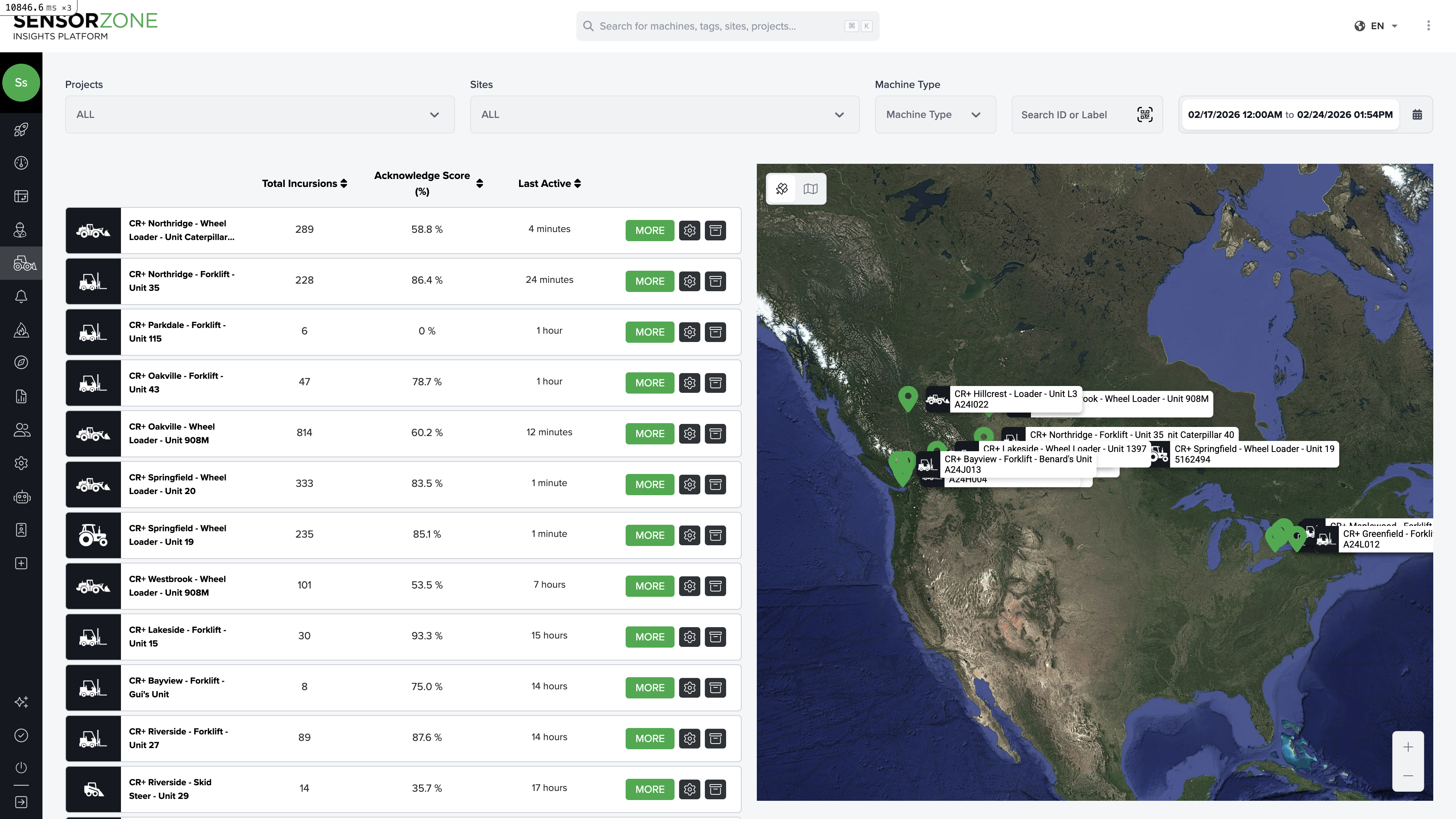
Machines list
The main table displays one row per base station:- Name / Serial Number — Machine label and the base station’s serial number
- Manufacturer & Model — Equipment details
- Total Incursions — Incursion count for the selected period
- Acknowledged / Unacknowledged — Breakdown by acknowledgment status
- Last Activity — When the base station last reported data
- Runtime Hours — Total ignition time during the period
Machine detail page
Click any machine to open its detail page with tabs for safety data, operational insights, and video.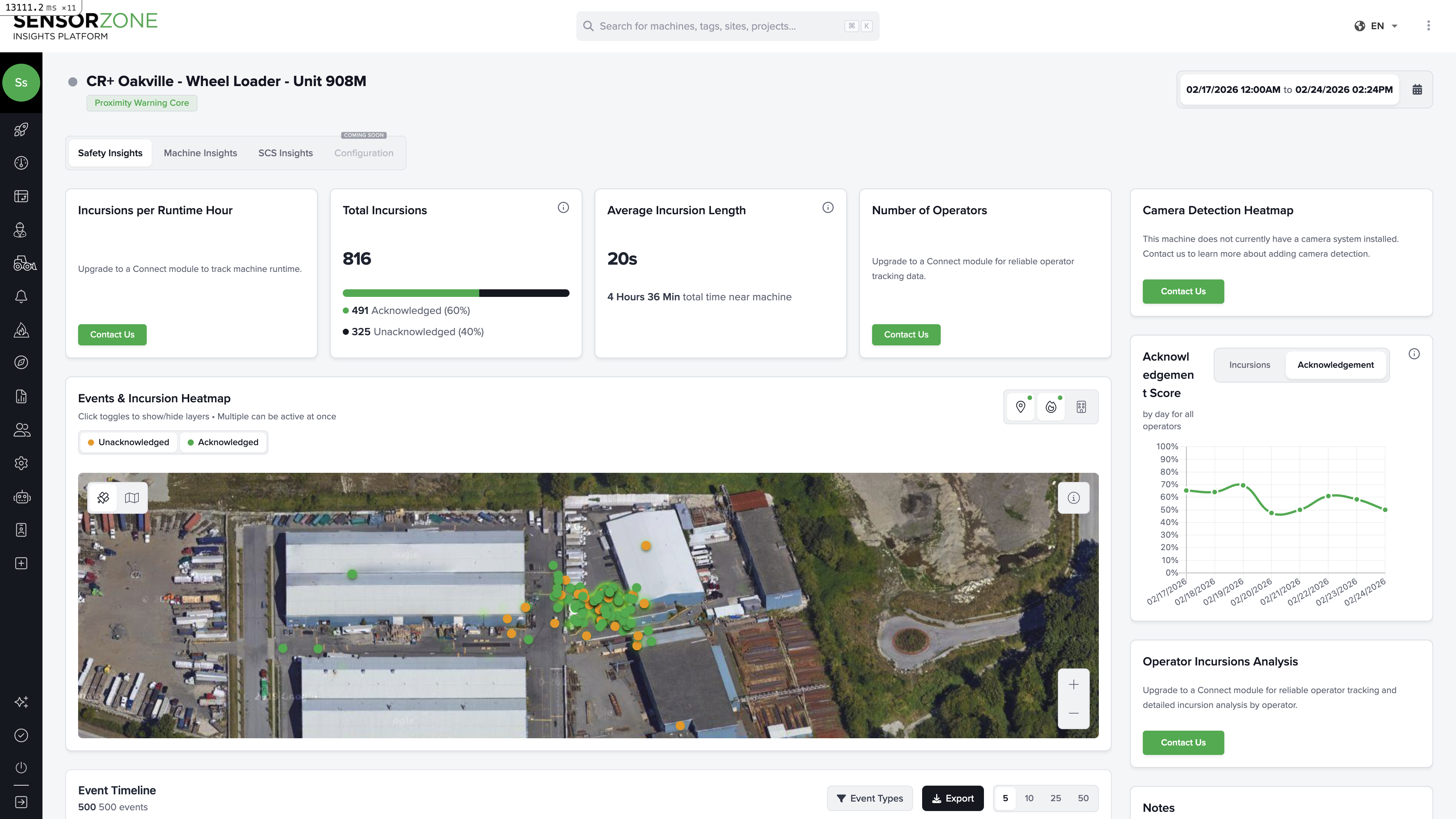
- Safety Insights — Incursion metrics, acknowledgement charts, operator analysis, geographic heatmap of events
- Machine Insights — Operator runtime (Gantt-style chart), connectivity status, battery and online state
- Video — Request clips, view live streams, browse previously requested footage
- SCS Insights — Safety-critical system data (when available)
- Event Timeline — Chronological log of all events: incursions, alarms, GPS tracks, device logs
Full Machine Detail Guide
See the complete walkthrough of all tabs, including how to read the safety and operational data.
Managing machine assets
Machine records are managed through Settings > Machine Assets:- Click Add Machine
- Enter serial number, manufacturer, year, and number plate
- Save
Notes
Add notes to any machine record to document maintenance, incidents, or configuration changes.Next steps
Worksites
Create and manage worksite boundaries.
Video
Request and review video footage.