

Generating a report
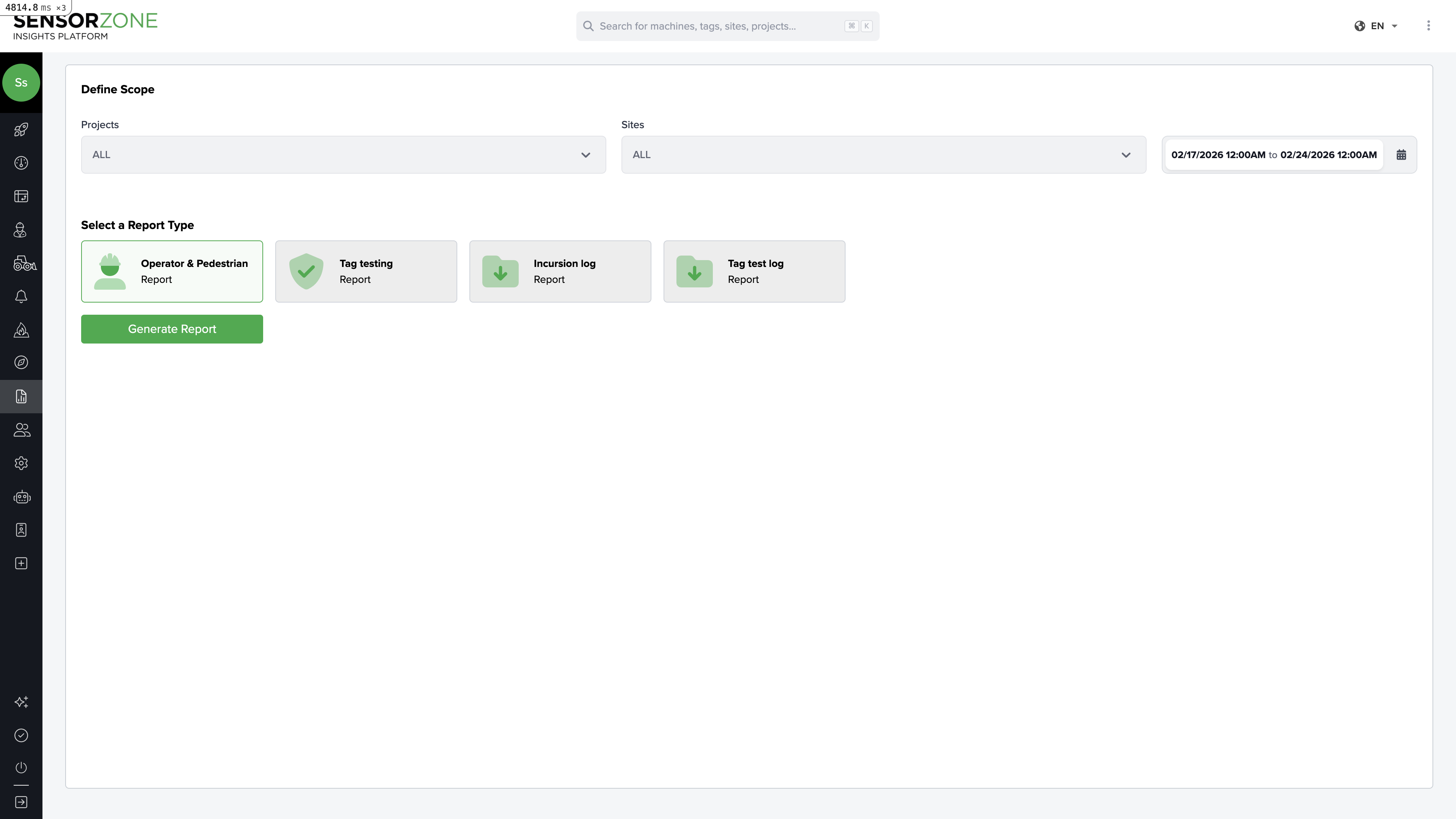
Configure parameters
- Date range — Select the start and end dates for the report period
- Projects — Choose which projects to include
- Sites — Optionally narrow to specific worksites
- Report type — Select the report format (e.g., Tag Incursions, Tag Test Log)
- Multiple sheets — Toggle to split data across separate sheets by site
Generate
Click Generate. The report is created in the background. You’ll see its status update from Waiting to Processing to Ready.
Report creation form
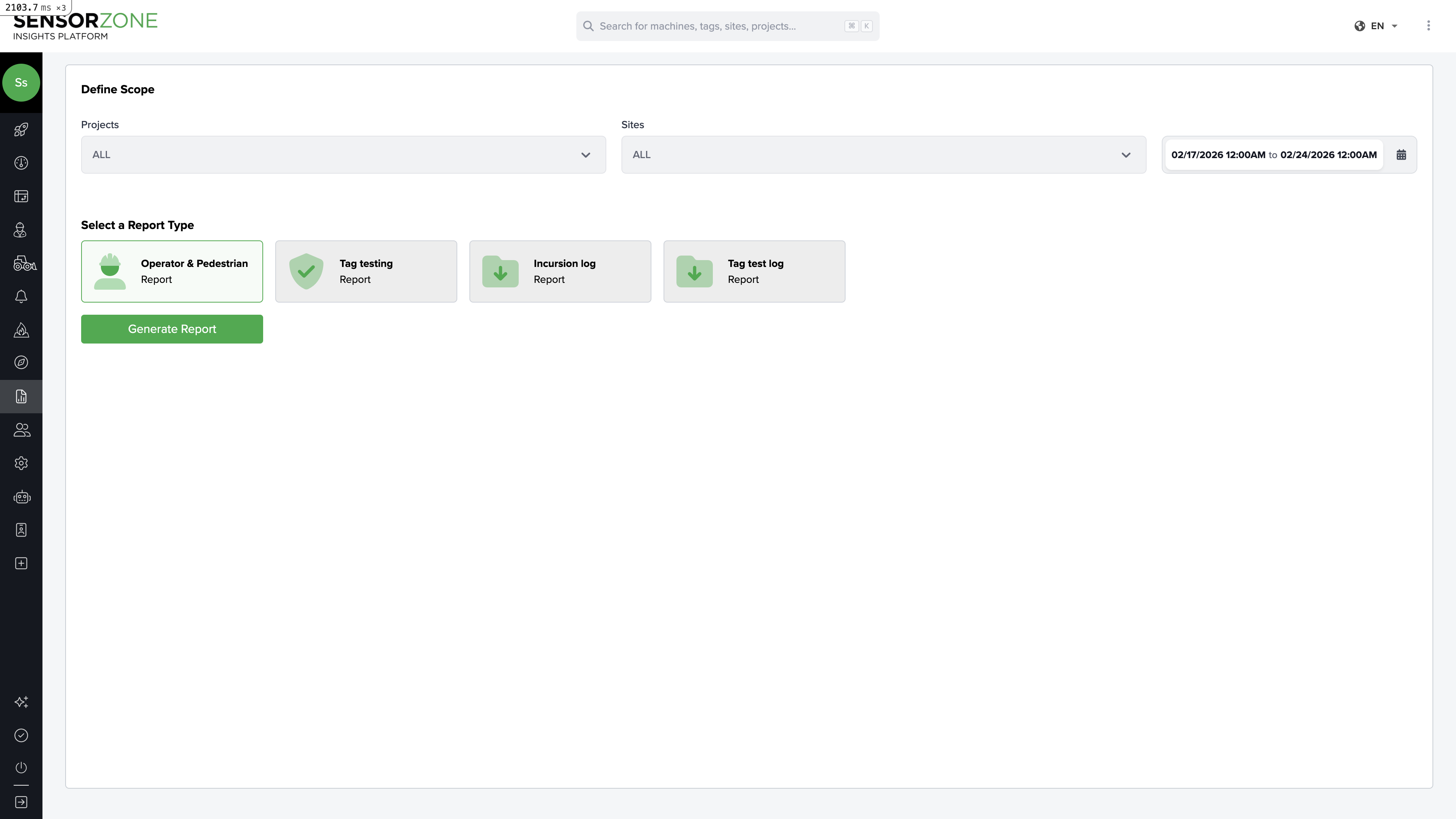
Report types
| Report Type | What it includes |
|---|---|
| Operator & Pedestrian Report | Incursion data broken down by operators and pedestrians, with acknowledgement metrics |
| Tag Testing Report | Tag test compliance data — when each tag was tested, intervals, and gaps |
| Incursion Log Report | Raw log of every incursion event with timestamps, machines, tags, and durations |
| Tag Test Log Report | Detailed log of every tag test performed, with dates and base stations used |
Report statuses
| Status | Meaning |
|---|---|
| Waiting | Report is queued for processing |
| Processing | Report is being generated |
| Ready | Report is complete and available for download |
| Error | Something went wrong — try regenerating |
Large reports covering many sites and long date ranges may take a few minutes to process. You can leave the page and come back — the report will continue generating in the background.
Report history
All previously generated reports are listed on the Reports page, sorted by creation date. You can:- Download any past report
- View the parameters used to generate it
- See who requested the report and when
Tips for effective reports
- Weekly reports — Generate a weekly report for each project to track trends over time
- Pre-meeting reports — Pull a report before safety meetings to have concrete data for discussion
- Multi-sheet reports — Use the “Multiple Sheets” option when reporting to clients who manage multiple sites, so each site gets its own sheet
Next steps
Alerts
Set up automated notifications for safety events.
Dashboard
Review real-time metrics on the Overview page.