

Checking in a visitor
Click the Check In button on the Visitor Log page to open the check-in form.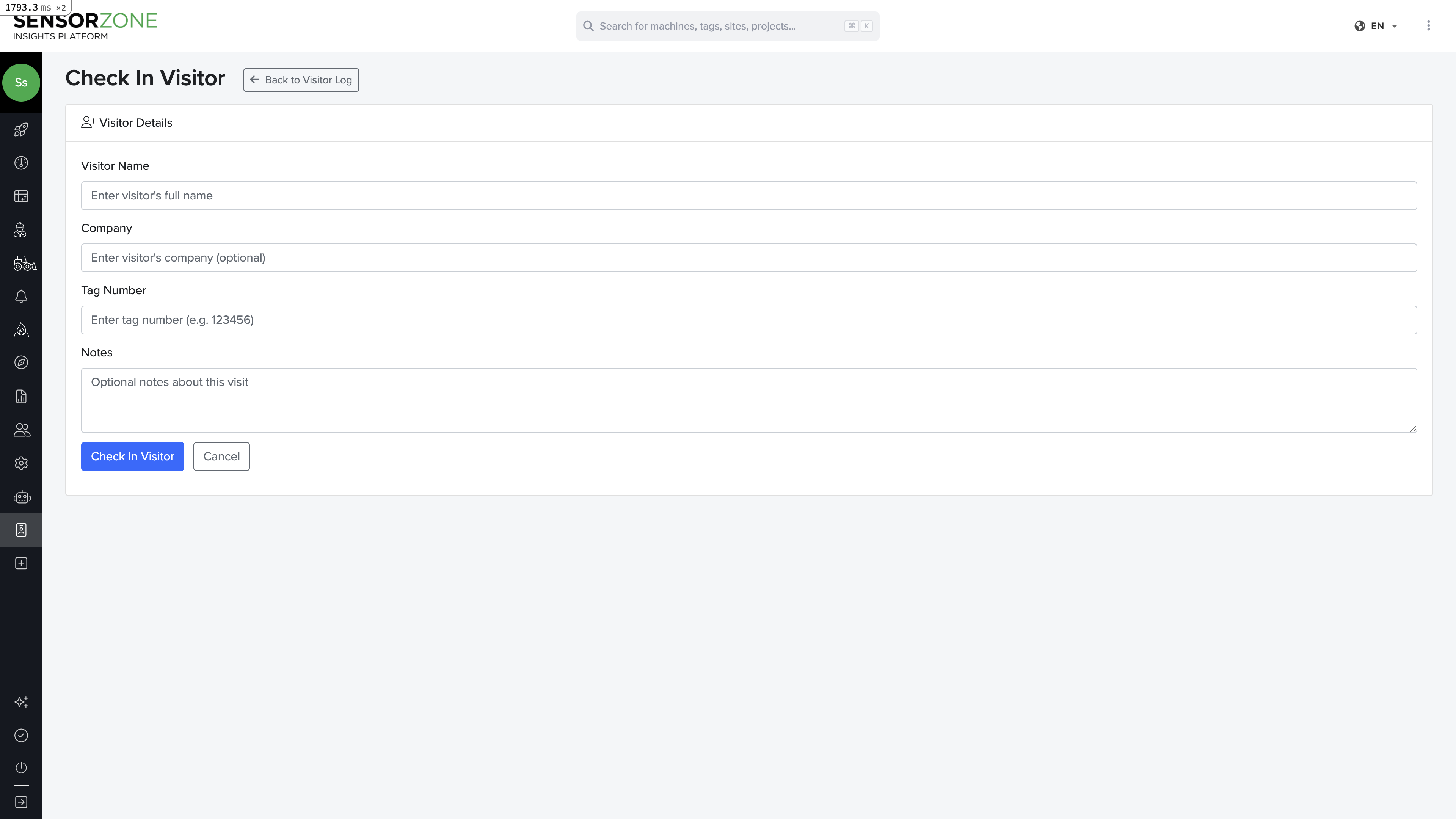
Add notes (optional)
Add any relevant notes about the visit — purpose, expected duration, areas they’ll access, etc.
Active sessions
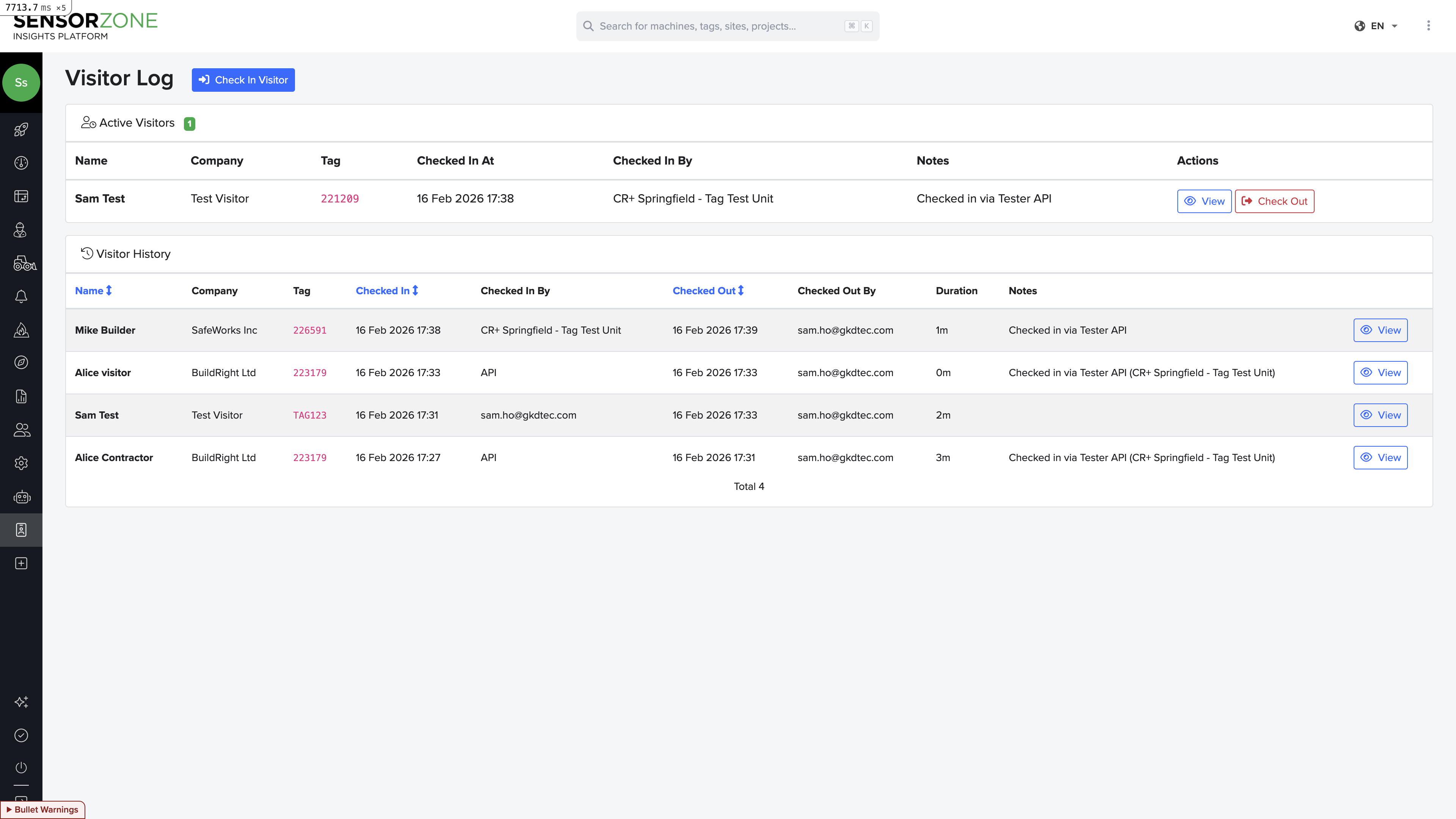
Active visitor sessions appear at the top of the Visitor Log page. Each session shows:- Visitor name and company
- Tag serial number
- Check-in time
- Duration (time since check-in)
Checking out a visitor
When a visitor returns their tag and leaves the site:- Find their active session at the top of the page
- Click Check Out
- Confirm the checkout
Session history
Below the active sessions, you’ll find a complete audit trail of all past visitor sessions. Each record shows:- Visitor name and company
- Tag used
- Check-in and check-out times
- Who performed each action
- Session duration
Safety events during a visit
Click any session (active or completed) to see all incursions recorded by that tag during the visit window. This gives safety managers complete visibility into visitor safety events and can be used for:- Post-visit safety briefings
- Incident investigation
- Compliance documentation
- Contractor performance tracking
Integration with tester devices
If your organization uses Tester devices in the field, visitor check-in can happen automatically. When a tester device assigns a tag to a visitor, a check-in session is created automatically. When the tag is unassigned, the session closes. See the API Reference for details on the Tester Device API.Next steps
People & Tags
Manage permanent personnel and tag assignments.
Settings
Configure your account and brand settings.